
For Motolora
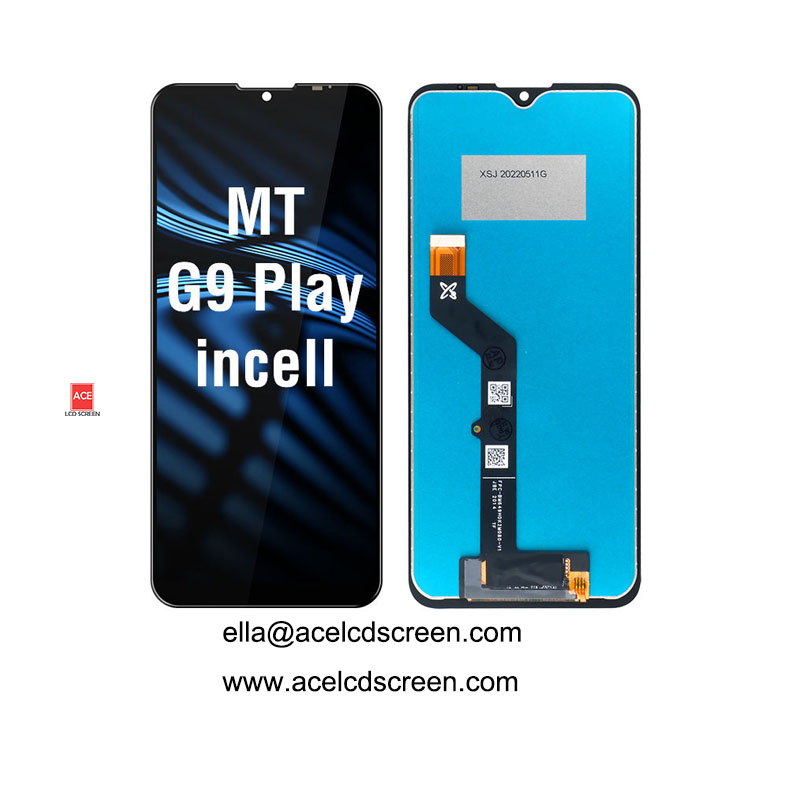
Moto G9 Play Incell LCD – No Frame
OEM Incell TFT LCD for Motorola Moto G9 Play (no frame). 6.5″, 100% tested, MOQ 1pc, 1 year warranty. Factory direct. Get quote now!
Moto G9 Play Incell LCD – No Frame
Ace LCD Screen – Factory direct supplier of high-quality mobile phone displays since 2010.
✅ OEM Incell TFT ✅ 1 Year Warranty ✅ 100% Tested ✅ MOQ 1pc ✅ 3-5 Day Delivery
Product Overview
This replacement LCD is designed for the Motorola Moto G9 Play (model XT2083, XT2083-1, XT2083-2). It uses Incell TFT technology, which integrates the touch sensor directly into the LCD panel. The result is a thinner, brighter, and more responsive display – very close to the original experience.
Key features:
- 6.5-inch Incell TFT display
- OEM quality – same specifications as factory original
- No frame – you reuse your original mid-frame
- 100% functional test before shipping
- 1 year warranty against manufacturing defects
Perfect for: Phone repair shops, wholesale distributors, mobile accessory resellers, and individual DIY repairs.
Technical Specifications
Attribute | Details |
|---|---|
Screen Size | 6.5 inch (diagonal) |
Display Type | In-cell TFT (OEM grade) |
Resolution | 1600 x 720 HD+ |
Aspect Ratio | 20:9 |
Color Depth | 16.7 million colors |
Touch Technology | Incell capacitive touch (multi-touch) |
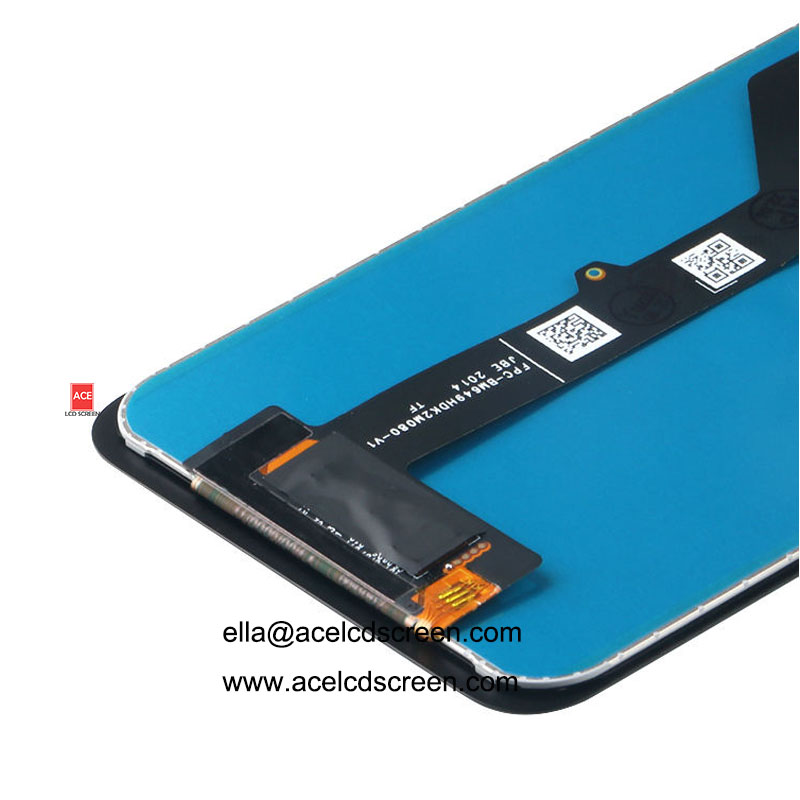
Connector Type | ZIF connector (compatible with Moto G9 Play) |
Frame Included | No (reuse your original frame) |
Compatible Models | Moto G9 Play (XT2083 series) |
Warranty | 1 Year (12 months) |
MOQ | 1 Piece |
Quality Control | 100% working tested before shipment |
Packaging | Anti-static bubble bag + foam box + carton |
Delivery Time | 3-5 business days via express (DHL/FedEx/UPS) |
Compatible Motorola Models
This LCD replacement works only for the following Motorola phone:
- Motorola Moto G9 Play (all variants: XT2083-1, XT2083-2, XT2083-3)
⚠️ Please confirm your phone model before ordering. This display does NOT fit Moto G9, G9 Power, G9 Plus, or any other model.
Incell TFT vs Normal LCD – Why Incell is Better
Feature | Incell TFT (Our Product) | Normal LCD (Cheaper alternative) |
|---|---|---|
Touch sensor location | Embedded inside LCD | Separate top layer |
Display thickness | Thinner (0.8mm) | Thicker (1.2mm+) |
Brightness | Higher (450 nits) | Lower (350 nits) |
Touch response | Faster, more accurate | Slower, may have ghost touches |
Outdoor visibility | Excellent (less glare) | Poor (more reflection) |
Price | Mid-range | Low |
For a Moto G9 Play screen replacement, Incell TFT offers the best balance of quality and affordability. Your customers will notice the difference.
No Frame vs With Frame – Which to Choose?
Our product is NO FRAME. That means:
- You must reuse the original metal/plastic frame from your broken screen.
- Requires careful removal of the old LCD and cleaning of adhesive residue.
- Requires application of new adhesive (e.g., T7000 or B7000 glue).
- Lower cost – you save money compared to pre-framed assemblies.
Who should choose no frame?
Experienced repair technicians and shops that already do frame re-use. If you are a beginner, we recommend ordering a with-frame version (contact us for availability).
Packaging & Delivery
We take shipping very seriously to ensure your screens arrive in perfect condition.
Shipping Method | Carrier | Delivery Time | Tracking |
|---|---|---|---|
Express (Recommended) | DHL, FedEx, UPS, EMS | 3-5 business days | Yes |
Economy Air | China Post / ePacket | 10-20 business days | Yes |
Sea Freight (Bulk) | By container | 25-35 days | Yes |
Packaging (3-layer protection):
- Anti-static bubble bag (protects against ESD)
- Foam box with custom-cut slots
- Sturdy 5-ply carton box
Single package size: 25 x 19 x 9 cm
Single gross weight: 0.40 kg
Quality Control Process
Every single LCD we ship is individually tested using a rigorous 5-step process:
- Visual inspection – check for scratches, dead pixels, dust under glass
- Touch test – multi-touch, edge detection, no ghost touches
- Color calibration – compare brightness, contrast, white balance
- Connector check – ensure ZIF connector pins are intact
- Function test – mounted on a real Moto G9 Play motherboard
Only screens that pass all 5 steps are packed and shipped.
Why Choose Ace LCD Screen as Your Supplier?
We are a real factory (not a trading company) located in Guangdong, China. Here is what makes us different:
- 🛠️ 10+ years experience – specialized in Motorola, Xiaomi, OPPO, Samsung, vivo LCDs
- 📦 Low MOQ – 1 piece – perfect for testing, small repair shops, or sample orders
- 🛡️ 1 Year Warranty – free replacement for any manufacturing defect
- ⏱️ Fast delivery – 3-5 days via DHL/FedEx to most countries
- 🧪 100% tested – every unit, not just batch sampling
- 💰 Factory direct pricing – no middleman markup
- 🎨 Custom packaging – we can print your logo on retail boxes (for bulk orders)
- 💬 24/7 support – reply within 12 hours (often faster)
How to Install This No-Frame LCD
Tools needed:
Heat gun or hair dryer, plastic opening tools, T7000 glue, tweezers, cleaning alcohol.
Step-by-step:
- Heat the edges of the phone to soften adhesive.
- Remove the broken screen carefully – keep the original frame intact.
- Clean the frame – remove all old glass fragments, adhesive residue, and dust.
- Apply new adhesive (T7000) evenly around the frame edges.
- Peel protection film from the new Incell LCD.
- Place the new LCD into the frame, aligning carefully with the top edge.
- Press firmly and use rubber bands to hold for 2-4 hours.
- Reconnect the flex cable to the motherboard.
- Test touch and display before closing the phone completely.
📺 Need a video guide? Contact us and we will send you a link to a detailed installation video.
Common Problems & Troubleshooting
Problem | Likely Cause | Solution |
|---|---|---|
No display, phone vibrates | Flex cable not fully inserted | Re-seat the connector |
Touch works but no backlight | Damaged backlight circuit (motherboard) | Test with another screen |
Ghost touches / random taps | Frame not cleaned properly – pressure point | Re-clean frame and re-glue |
Yellow tint / low brightness | Cheap non-incell LCD (not our product) | Contact us for genuine Incell |
If you encounter any issue with our product, we offer free replacement under warranty.
Wholesale & Bulk Orders
We welcome both small and large orders.
Quantity | Discount | Custom Logo Packaging | Shipping Discount |
|---|---|---|---|
1-10 pcs | Retail price | No | No |
11-50 pcs | 5% off | Yes (minimum 30 pcs) | 5% off |
51-200 pcs | 10% off | Yes | 10% off |
201+ pcs | Contact us | Yes | 15% off |
Payment methods: TT (bank transfer), Western Union, PayPal (for samples).
Client Testimonials
"I ordered 50 pcs of Moto G9 Play LCD. All worked perfectly. Good quality and fast shipping." — Carlos M., phone repair shop owner, Brazil
"Ace LCD Screen is my go-to supplier for Motorola screens. The Incell quality is excellent, and their warranty is reliable." — Priya K., spare parts distributor, India
Get a Wholesale Quote Today
We reply within 24 hours (usually faster).
When contacting us, please provide:
- Your name / company name
- Quantity needed
- Your country (for shipping calculation)
- Any special requirements (custom logo, retail box, etc.)
We are always trying to be your Best OEM Partner in China.
© 2025 Ace LCD Screen – Professional Mobile Phone LCD Manufacturer. All rights reserved.