
Jul 1, 2026News & Insights
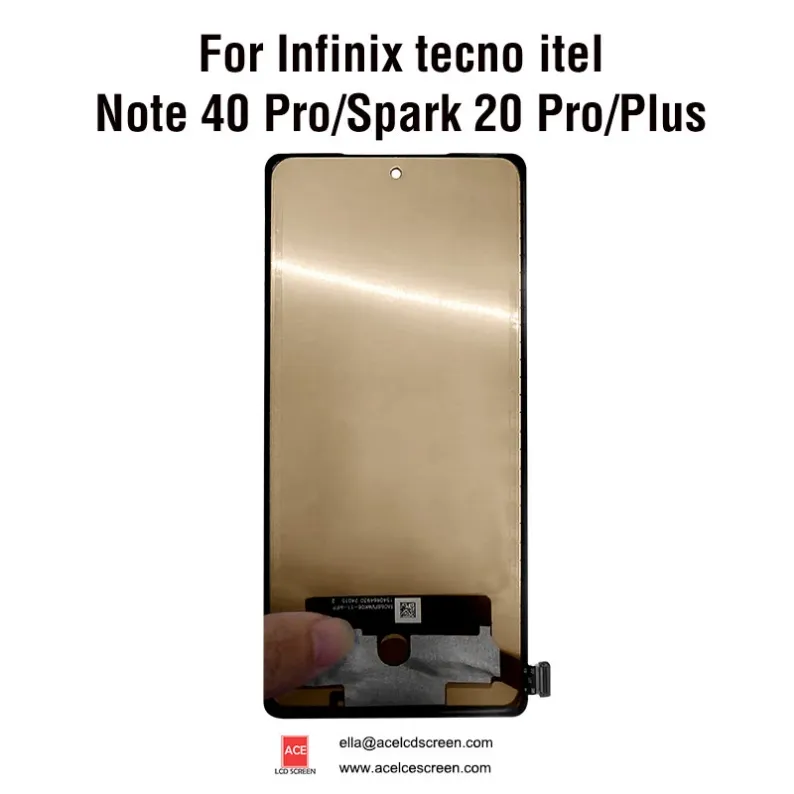
Tecno Spark 20 Pro Screen Replacement Guide
Replace your Tecno Spark 20 Pro / Plus / 40 Pro screen with Incell LCD+frame. Compare Premium vs Standard grades, wholesale pricing (MOQ 3pcs), 1-3 day shipping. Read.
Tecno Spark 20 Pro Screen Replacement Guide
By Ace LCD Screen | 3 min read
Why Incell with Frame for Spark 20 Pro?
Tecno Spark 20 Pro, Spark 20 Plus, and Tecno 40 Pro share a similar 6.78″ display. Our Incell LCD with frame works for all three.
- Incell technology – embedded touch = thinner, brighter
- With frame – no glue, 15‑min install
- Two quality grades – fit any budget
Premium vs Standard – Which One?
Feature | Premium | Standard |
|---|---|---|
Quality | OEM‑grade Incell | Compatible Incell |
Brightness | 400+ nits | 350 nits |
Frame | ✅ Yes | ✅ Yes |
Warranty | 1 year | 6 months |
Best for | Premium repairs | High volume / budget |
Both are 100% tested. Premium feels like original.
Installation Steps (With Frame)
- Heat back cover, disconnect battery
- Remove old screen, detach flex
- Clean mid‑frame adhesive
- Place new incell with frame
- Reconnect, test before closing
📺 Video guide – ask Ella.
Why Ace LCD Screen?
- Factory direct – no middleman
- MOQ 3 pieces – small wholesale batch
- 1-3 day shipping – fast delivery
- Two grades – fit your margin
- 1 year warranty (Premium) – peace of mind
- Custom packaging available
Bulk Pricing (Premium)
Qty | Discount |
|---|---|
3-10 | Retail |
11-30 | 5% off |
31-50 | 10% off |
50+ | Contact |
Get a Quote
Include: model, grade, quantity, country.
Fast reply. 1-3 day shipping.